facebook

Recharge by:

Scratch card

USSD

Kakoak

Mosan

Scratch card

Check Pulsa Balance:

*122#

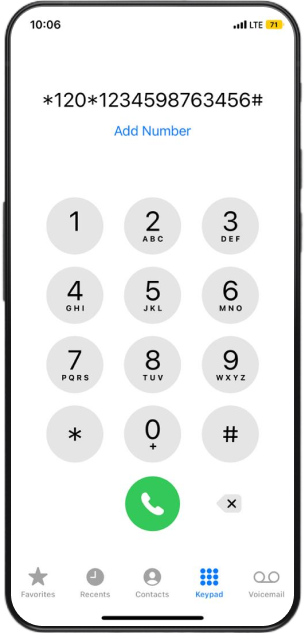
Recharge Pulsa:

*120*[code on scratch card]#

Example:

Step 1:

Download Kakoak App

Click the button below to download now!

Or download Kakoak from App Store (IOS) Google Play Store (Android)

1. Open the App Store (iOS) or Google Play Store (Android)

2. Search for "Kakoak" and select the app

3. Tap Get (iOS) or Install (Android)

4. Wait for the download to complete, then tap Open to start using Kakoak!

Step 2:

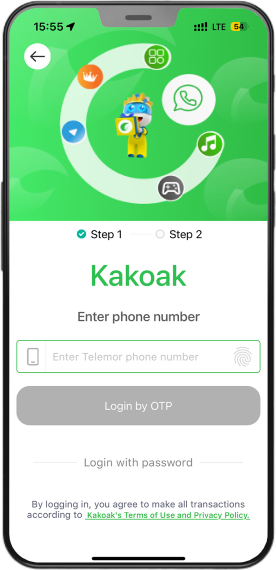
Log in Kakoak and select Account feature

1. Open the app and log in with your phone number

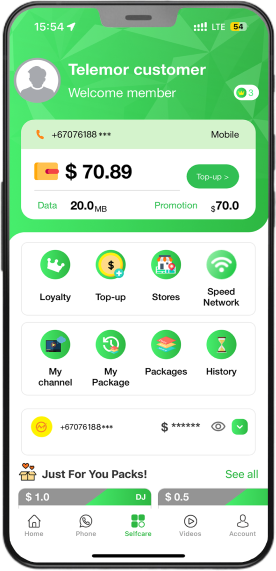
2. After logging in, go to the homepage and select Account

Step 3:

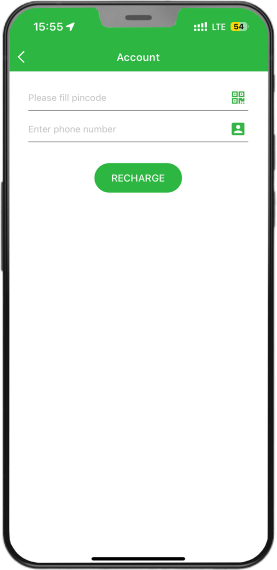
Recharge

Enter information in the Account feature.

Enter your Pincode and Phone number then click Recharge. Done!

Step 1:

Download Mosan app

Click the button below to download now!

Or download Mosan from App Store (IOS) Google Play Store (Android)

1. Open the App Store (iOS) or Google Play Store (Android)

2. Search for "Mosan" and select the app

3. Tap Get (iOS) or Install (Android)

4. Wait for the download to complete, then tap Open to start using Mosan!

Step 2:

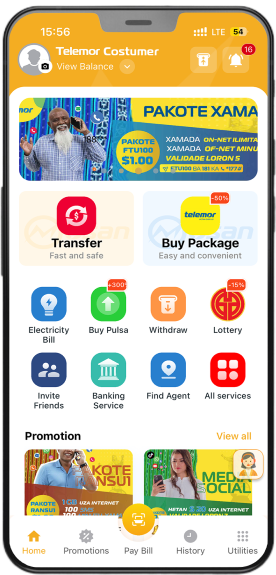
Log in Mosan and select Buy Pulsa feature

1. Open the app and log in with your phone number

2.After logging in, go to the homepage and select Buy Pulsa

Step 3:

Recharge

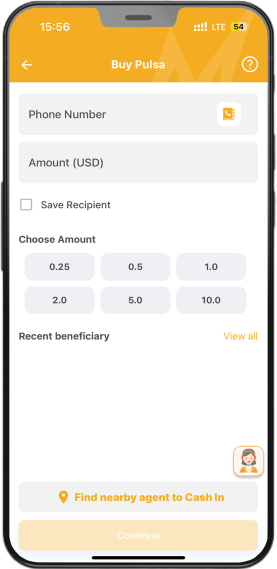
Enter information in the Buy Pulsa feature.

Enter your Phone number and Amount then proceed with payment. Done!